Campaigns \ Screenflow
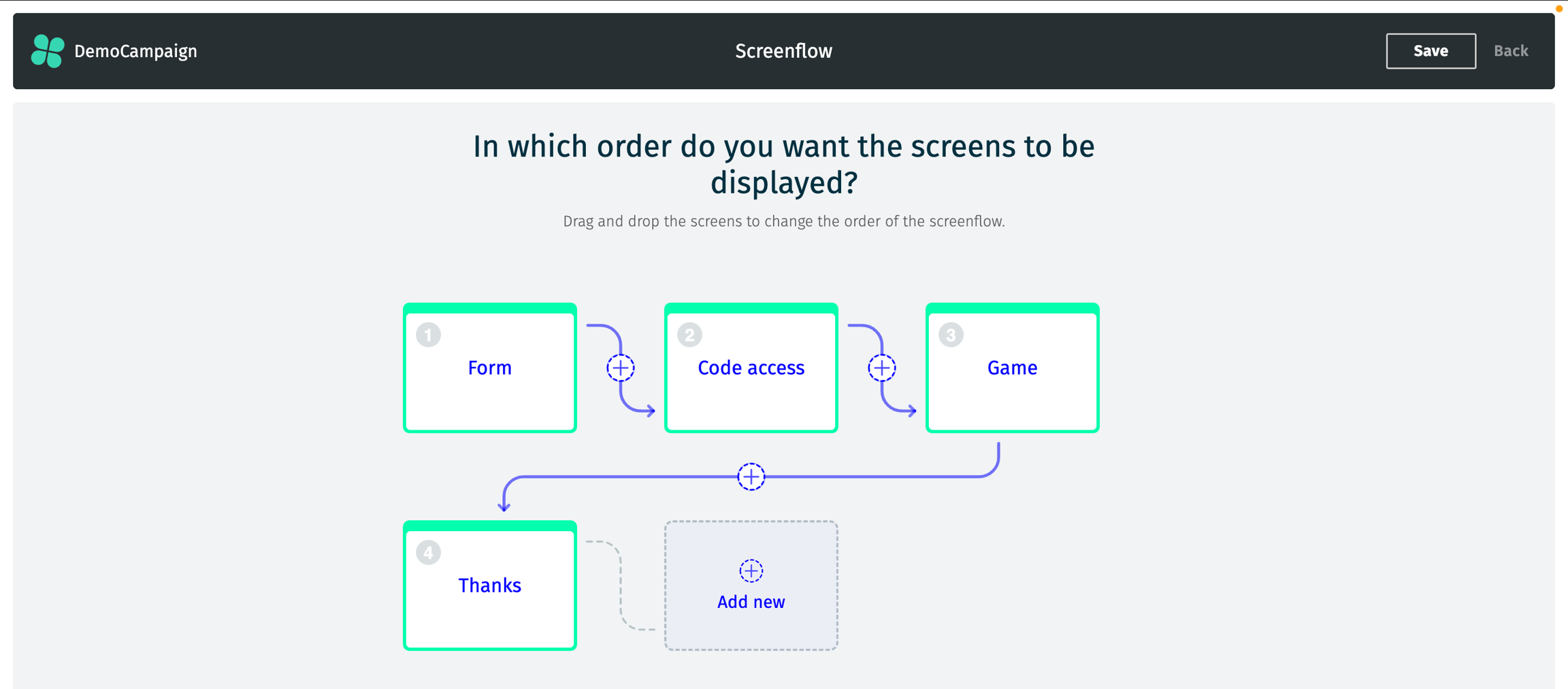
The Screenflow page allows you to choose the navigation flow for your campaign. The available screens are as follows (you can see them in action in the Screens section):
Home: The default entry point for the campaign, typically used for an introductory screen.
Form: A screen to collect participant information (e.g., name, email address).
Question: A screen where you can ask questions to the participants (optional, but can be used to prevent users from going further if they provide an incorrect answer).
Code Access: A screen where participants enter a code they received prior to gain access to the campaign.
Proof of Purchase: A screen where participants upload proof of purchase to qualify for the campaign.
Game: The interactive component of the campaign where participants engage with an animation.
Subsidiary Question: Additional questions that may be presented to separate participants in a prize draw (or any open question of your choice).
Thanks: A confirmation (for prize draws) or result (for instant wins) screen displayed after participants complete the campaign.
Custom: A flexible screen that allows you to add personalized content or design. This is the only screen that can be used multiple times!
Please note that a default flow is automatically generated during creation based on your initial choices. However, it is possible to remove some screens, add new ones, or reorder them (within reason-see below).
A few static screens are automatically added to handle specific cases. While these screens are mandatory and hidden from the flow, they can be designed just like any other screen. These screens are:
Too Early: Displays when a participant tries to engage before the campaign's start date or time.
Too Late: Shown when a participant attempts to engage after the campaign's end date or time.
Paused: Appears when the campaign is temporarily suspended (for edits or checks).
Invalid: Shown when a participant's entry does not meet the required criteria or is deemed invalid.
Variables will be usable from form data (e.g.,
{{firstname}}), but only for screens that come after the form. More details on the variables can be found in the Screens section.The Form screen should come before any other screen (except Home or Custom) if you wish to use email address limitations.
The Code Access screen should come before the Game screen to enable proper reward distribution.
Last updated